Understanding What Degrades Over Time
Premium wireless headphones represent a significant investment, and their longevity depends heavily on how thoughtfully you maintain them. The most common points of failure are not dramatic breakages but gradual degradation: ear cushions that crack and peel, batteries that lose their ability to hold a charge, hinges that weaken, and internal components that accumulate debris. Understanding these vulnerabilities before you purchase helps you pick a pair that aligns with your willingness to perform ongoing care.
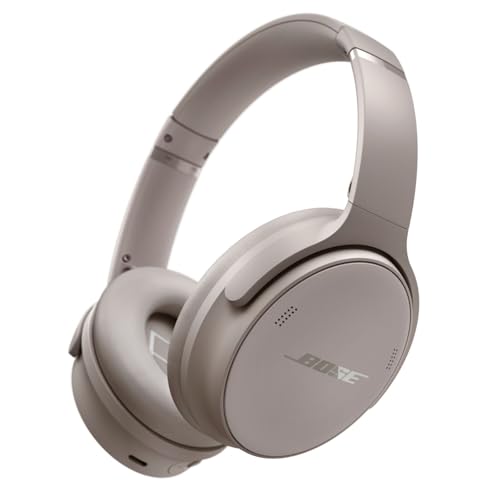
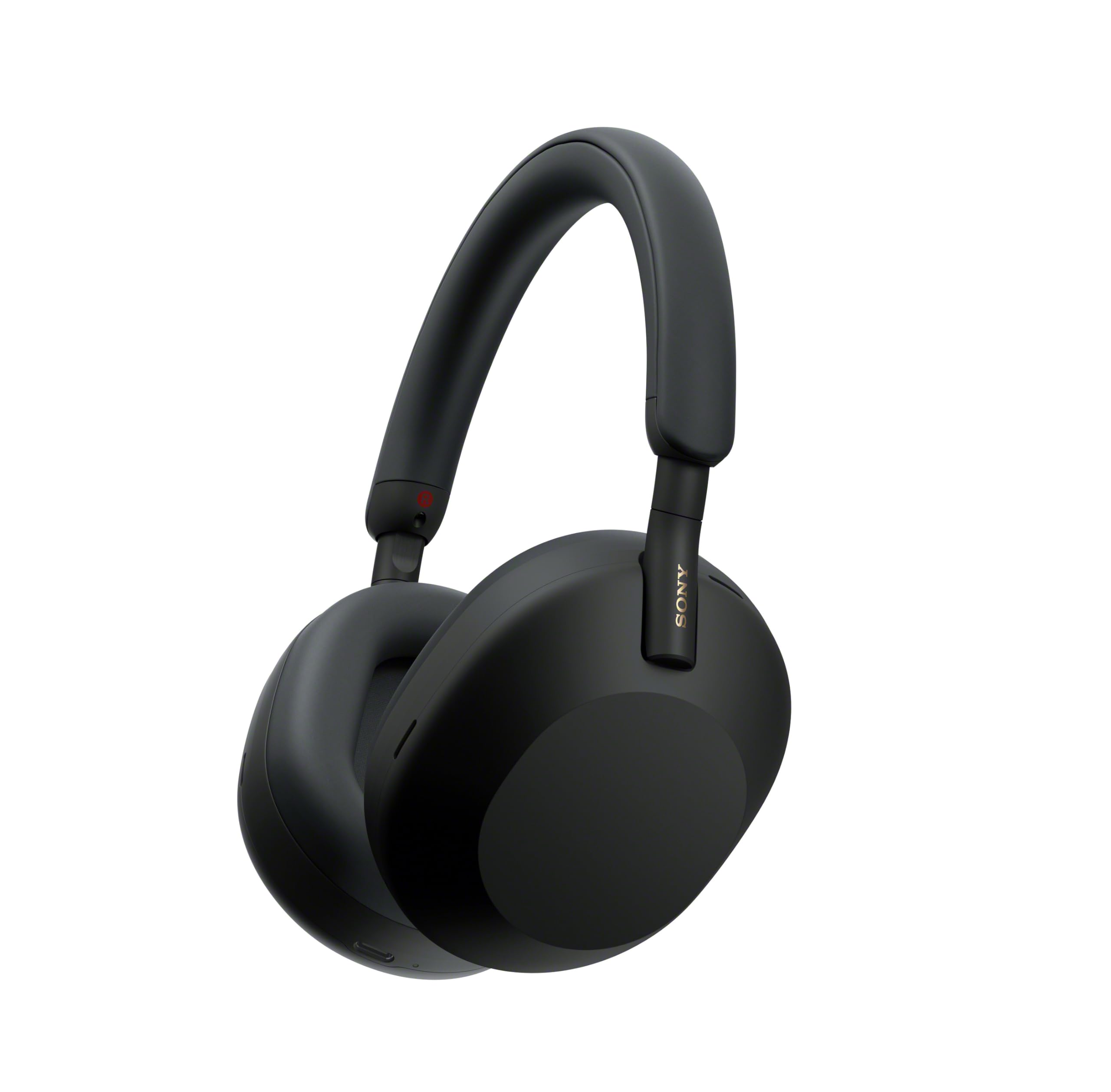
When comparing options like the Sony WH-1000XM5 Wireless Noise-Canceling Headphones, Black and the Bose QuietComfort Wireless Noise-Canceling Headphones, Black, consider that both rely on similar categories of materials—protein leather or synthetic blends for cushions, plastic or metal for structural components, and lithium-ion cells for power. None of these materials are immune to wear, but their lifespans can be extended significantly with consistent, simple habits. The goal is not perfection but rather preventing avoidable damage from neglect.
Daily Habits That Prevent Premature Wear
The single most effective maintenance step is also the simplest: store your headphones in their case when not in use. Many people leave headphones on desks, toss them into bags unprotected, or hang them on monitor arms where they collect dust and risk being knocked off. A hard or semi-rigid case shields the headphones from pressure points that stress the headband, protects ear cushions from being compressed flat, and keeps the hinges from being forced past their intended range of motion. Make the case the default resting place, not an afterthought.
Cable management is another daily habit that pays off. If your headphones use a detachable cable for wired listening or charging, avoid yanking the cable from the middle. Grip the connector itself when unplugging, and avoid tightly wrapping cables around your hand or the case, which stresses the internal wires and leads to fraying near the connectors. Loosely coil cables with gentle loops, and replace cables at the first sign of exposed wiring rather than continuing to use them.
Cleaning Ear Cushions and Ear Pads
Ear cushions are typically the first component to show wear, and they are also the most replaceable. Oils from your skin, sweat, and environmental humidity gradually break down the synthetic materials, causing cracking, peeling, and flaking. To slow this process, wipe the cushions with a dry microfiber cloth after each listening session, especially if you exercise or wear them for extended periods. For deeper cleaning, use a barely damp cloth with a mild soap solution—never soak the cushions or let moisture seep into the seams where the cushion attaches to the ear cup.
When cushions eventually do degrade, replacing them is usually straightforward and far more economical than replacing the entire headphones. Before buying any pair, check whether replacement cushions are readily available from the manufacturer or third parties, and look into how the cushions attach. Adhesive-mounted pads can be slightly more finicky to replace than twist-lock or snap-fit designs, but all types are manageable with patience and a steady hand. Replacing cushions once or twice over the life of the headphones is normal and expected.
Battery Health and Charging Practices
Lithium-ion batteries degrade over time and with use, but certain charging habits accelerate that decline while others preserve capacity for longer. Avoid leaving your headphones plugged in continuously after they reach full charge, and avoid letting the battery drain completely to zero on a regular basis. A practical approach is to charge when the battery gets low but not empty, and to unplug once charging is complete. If you will not use the headphones for an extended period, store them with roughly half a charge rather than full or empty.
Temperature plays a significant role in battery longevity as well. Charging or storing headphones in very hot environments—such as a car parked in direct sunlight—stresses the battery cells and can cause permanent capacity loss. Similarly, very cold temperatures can temporarily reduce performance and, over time, contribute to degradation. Keep your headphones in a temperate, dry environment whenever possible, and if they feel warm after charging, let them cool before placing them in a sealed case.
Protecting Internal Components and Sound Quality
Debris accumulation inside the ear cups can affect both sound quality and active noise cancellation performance. Dust, hair, and skin flakes can settle around the drivers and microphones that enable noise cancellation, and once inside, these particles are difficult to remove without disassembly. The best defense is prevention: keep the headphones cased when not in use, and avoid placing them cushion-side down on dusty or dirty surfaces. If you notice a rattling sound or a change in audio balance, debris near the driver is a likely culprit.
Firmware updates also fall under the umbrella of maintenance, though many owners overlook them entirely. Manufacturers periodically release updates that address battery management, noise cancellation algorithms, and connectivity stability. Keeping your headphones on the current firmware ensures you benefit from these refinements. Check the companion app periodically for available updates, and follow the manufacturer instructions carefully, interrupting the process can cause issues that require a service visit to resolve.
Environmental Factors and Storage Conditions
Where you store your headphones when not in use matters as much as how you handle them during use. Humidity is particularly damaging to both the structural materials and the electronics. If you live in a humid climate or use your headphones during workouts, allow them to dry thoroughly before sealing them in a case. Trapped moisture accelerates cushion degradation and can corrode internal contacts over time. A brief air-drying period in a well-ventilated room is usually sufficient.
Sunlight and heat sources also cause cumulative damage. Ultraviolet exposure can fade and embrittle plastics, while direct heat can warp structural components and stress adhesives. Avoid leaving headphones on windowsills, near radiators, or in vehicles. If you travel frequently, be mindful that overhead bins and checked luggage can subject headphones to temperature extremes and physical compression. A sturdy travel case inside a carry-on bag is preferable to checking headphones in luggage, where they may be crushed under heavy bags.
Recognizing When Maintenance Becomes Replacement
Even with meticulous care, headphones eventually reach the end of their useful life. Knowing when to invest in repairs versus replacing the unit entirely helps you make practical decisions. If the issue is limited to worn cushions, a fraying cable, or a degraded battery, replacement or repair is typically worthwhile. Many manufacturers offer battery service programs, and third-party replacement parts are widely available for popular models.
However, if the structural headband has cracked, the noise cancellation has developed a persistent fault that persists through firmware updates, or the charging port has become loose and unreliable, the cost and complexity of repair may approach the point where replacement makes more sense. Before reaching that stage, ask yourself whether you have been storing the headphones properly, cleaning them regularly, and charging them thoughtfully. Consistent maintenance delays that decision significantly and preserves both sound quality and resale value if you eventually upgrade.
Frequently asked questions
How often should I clean my headphones?
A quick wipe of the ear cushions with a dry microfiber cloth after each use is ideal, especially after exercise or long listening sessions. A more thorough cleaning with a lightly dampened cloth can be done every few weeks, depending on how frequently you wear them and how much you sweat.
Is it safe to use disinfecting wipes on ear cushions?
Most manufacturers advise against alcohol-based or harsh disinfecting wipes, as these can dry out and crack synthetic cushion materials prematurely. A barely damp cloth with mild soap is gentler and effective for routine cleaning. Always check the care instructions provided by the manufacturer for your specific model.
Can I replace the battery myself when it stops holding a charge?
Some headphones have user-replaceable batteries, but many premium models have sealed battery compartments that require professional service. Check whether the manufacturer offers a battery replacement program, and research whether third-party guides and parts are available before attempting a repair yourself.
Will using third-party replacement cushions affect sound quality?
Third-party cushions can alter the acoustic seal around your ears, which may subtly affect bass response and noise cancellation effectiveness. Genuine manufacturer replacements are designed to match the original acoustic properties, so if sound fidelity is a priority, stick with official parts.
How do I know if a firmware update is available for my headphones?
Most premium wireless headphones pair with a companion app on your phone or computer, and that app typically notifies you when updates are available. Check the app periodically and follow the on-screen instructions carefully, ensuring the headphones remain powered and connected throughout the update process.