Start With How You Actually Play
Before browsing gaming gear, take an honest inventory of your habits. The equipment that suits a competitive shooter enthusiast differs from what a strategy or role-playing game player needs. Write down the genres you play most, how many hours per week you spend gaming, and whether you play solo or with groups. This sounds basic, but it prevents the most common mistake: buying gear designed for a use case that does not match yours.
Fall often brings longer evenings and new game releases, which makes it a natural time to reassess your setup. If you are upgrading because a specific title demands better input precision or audio, let that game's requirements guide your priorities. If you are refreshing gear simply because your current equipment is wearing out, focus on durability and comfort rather than chasing features you may never use.
Mice: Weight, Grip, and Sensor Quality
A gaming mouse is the most personal peripheral in your setup, and the factors that matter most are weight, grip style, and sensor consistency. Weight preference varies widely: some players want a light mouse for fast flick movements, while others prefer heft for stability. There is no universally correct answer, so if possible, test a mouse in person before committing.
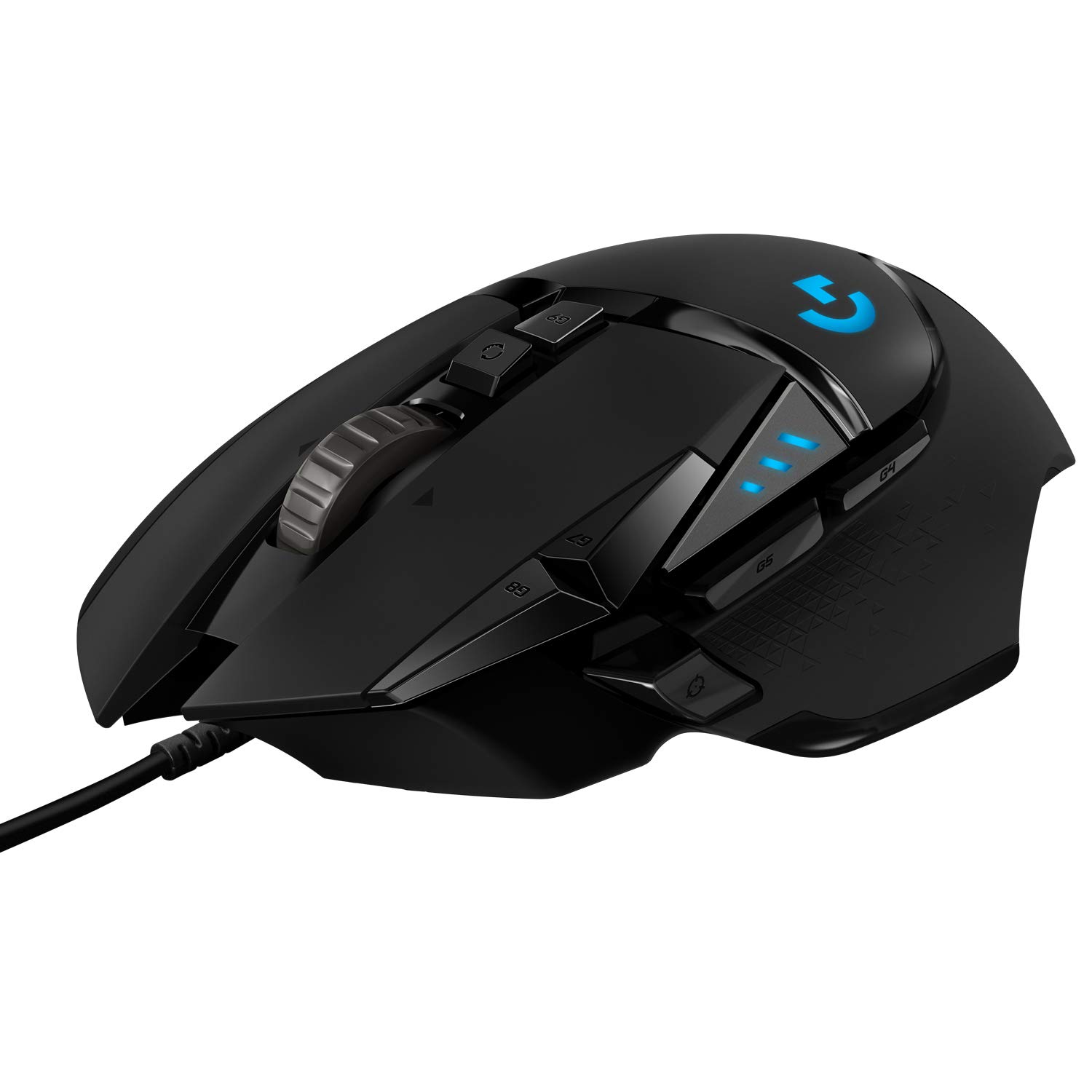
Grip style also shapes which mouse shape works for you. Palm grippers need a longer, taller body; claw grippers benefit from a shorter, arched shape; fingertip gripers often prefer compact, lightweight designs. Sensor quality matters across all grip types because it determines tracking accuracy and lift-off behavior. Products like the Logitech G502 HERO Wired Gaming Mouse, Black are popular examples in this category, but you should evaluate any mouse against your own hand size and grip before deciding. Check the retailer's return policy so you can confirm comfort during real sessions.
Keyboards: Switches Make the Difference
The keyboard market divides broadly into mechanical and membrane designs, and within mechanical keyboards, the switch type defines the experience. Linear switches feel smooth and quiet, tactile switches give a noticeable bump at actuation, and clicky switches provide audible feedback. Each suits different preferences and environments. If you share a space or stream with a microphone nearby, a loud clicky switch may create problems.
Beyond switches, consider layout and build. Full-size keyboards include a number pad, which is useful if you also work or manage spreadsheets at the same desk. Tenkeyless and compact layouts free up mouse space, which matters for low-sensitivity players who move their arm broadly. Aluminum chassis options reduce flex and change the sound profile, but they also add weight. Think about whether you transport your keyboard or keep it stationary.
Headsets and Audio: Comfort Over Flash
A headset is something you wear for hours, so comfort should be your first filter. Clamp pressure, ear cup material, and weight all affect long-session fatigue. Memory foam and breathable fabric help during fall when room temperatures fluctuate between warm afternoons and cool evenings. If you wear glasses, look for headsets advertised as glasses-friendly or with channel-cut ear cushions.
Audio quality is subjective, but a few practical checks help. Closed-back designs isolate sound, which is useful in noisy households, while open-back designs give a wider soundstage but leak audio. Surround sound features can help with spatial awareness in competitive games, but stereo headsets with good imaging often perform just as well. Microphone quality matters if you play with a team; a clear, removable mic is more flexible than a fixed boom.
Monitors and Refresh Rates: Match the Panel to Your Hardware
Your monitor should complement what your computer can actually output. A high refresh rate panel only helps if your system can deliver frames to match it. Buying a premium monitor for a modest system wastes the panel's capability, while pairing a strong system with a basic monitor bottlenecks the experience. Check your system's average frame rates in the games you play most before shopping.
Panel type also affects the experience. IPS panels offer strong color and viewing angles, VA panels provide deep contrast, and TN panels prioritize speed. Resolution and screen size should be considered together: a higher resolution on a small screen offers diminishing returns, while a large screen at low resolution can look soft. Fall is a good time to evaluate whether your current monitor still fits your desk and lighting conditions as daylight hours shorten.
Common Mistakes to Avoid
The most frequent mistake is buying based on endorsements or aesthetics rather than fit. A mouse that works for a professional player may feel wrong in your hand. Another common error is over-investing in one category while neglecting others; a top-tier mouse paired with a poor monitor or uncomfortable chair undermines the whole setup. Balance your budget across the components that affect your experience most.
Ignoring cable management and desk space is another pitfall. Wired peripherals offer consistency, but they require routing to avoid tangles. Wireless gear reduces clutter but introduces charging routines. Before purchasing, measure your desk and plan where each item will sit. Finally, always verify current specifications and compatibility with the retailer before purchasing, since product details can change and your system requirements may differ from what a general guide assumes.
Questions to Ask Before You Buy
Ask yourself whether the upgrade solves a real problem or simply appeals to novelty. If your current mouse skips or your headset causes discomfort after an hour, those are concrete problems worth solving. If your gear works fine but a new model looks appealing, consider waiting. Define what improvement you expect and be specific: better accuracy, less fatigue, clearer voice chat, or more desk space.
Also ask how long you plan to keep the gear. Gaming peripherals can last several years if chosen well, so prioritize build quality and warranty support. Read recent user reviews that mention long-term durability, not just unboxing impressions. If you are buying gifts during the fall season, ask the recipient about their current setup and preferences, or consider a gift receipt so they can exchange if the fit is wrong.
Frequently asked questions
Is wired or wireless gear better for gaming?
Wired gear offers consistent performance with no charging needs, while wireless gear reduces cable clutter. Modern wireless technology has improved significantly, but some competitive players still prefer wired for peace of mind. Choose based on your desk setup and tolerance for charging routines.
How important is mouse weight?
Mouse weight affects how quickly you can move and how stable your aim feels. Lighter mice suit fast-paced games with frequent repositioning, while heavier mice can feel more controlled. There is no universal correct weight, so personal preference and hand strength should guide your choice.
Should I prioritize a mechanical keyboard if I only game casually?
Mechanical keyboards offer durability and customizable feel, but they are not strictly necessary for casual play. If you also type extensively for work or school, a mechanical keyboard can improve that experience too. Membrane keyboards remain a valid option if budget and noise are concerns.
Do I need surround sound in a gaming headset?
Surround sound can help with spatial awareness in competitive games, but stereo headsets with good imaging often provide similar cues. Surround features sometimes add processing that alters audio quality. Try both if possible and decide based on the games you play most.
How do I know if a monitor upgrade will actually help?
Check your system's average frame rates in the games you play. If your system already delivers frames beyond your monitor's refresh rate, an upgrade is worthwhile. If your system struggles to keep up, a better monitor will not fix the underlying performance gap.