Start With Your Setup, Not the Gear
Before adding anything new to your desk, take a hard look at the space you actually have. Summer often means lighter schedules and longer sessions, but it also means warmer rooms, more glare on screens, and less patience for clutter. Measure your desk depth, note where your monitor sits, and think about whether you tend to play with your arms flat on the surface or hovering. A mouse or headset that works perfectly in a review video can feel miserable in your actual room if the lighting, ventilation, or desk layout fights against it.
Think about airflow too. Gear that traps heat against your hands or ears gets uncomfortable fast when the ambient temperature climbs. If your room tends to get stuffy in the afternoon, weight and breathability matter as much as sensor quality. A lighter mouse with a shell that allows air movement can keep your palm drier than a solid-body design, and open-back or mesh-cushioned headsets breathe better than dense foam pads. None of this shows up on a spec sheet, but it defines whether you'll actually want to keep using the gear through August.
Match the Gear to Your Game Types
The single biggest mistake buyers make is treating gaming gear as universal. It isn't. A fast-paced competitive shooter rewards a lightweight mouse with minimal skat resistance and a wide, unobstructed mousepad. A sprawling open-world RPG, by contrast, might make you value extra thumb buttons for mapping macros, crafting shortcuts, or ability rotations. Strategy and simulation players often benefit from a heavier, more stable mouse with tactile scroll feedback, while MMO players tend to prioritize button count and layout over raw speed.
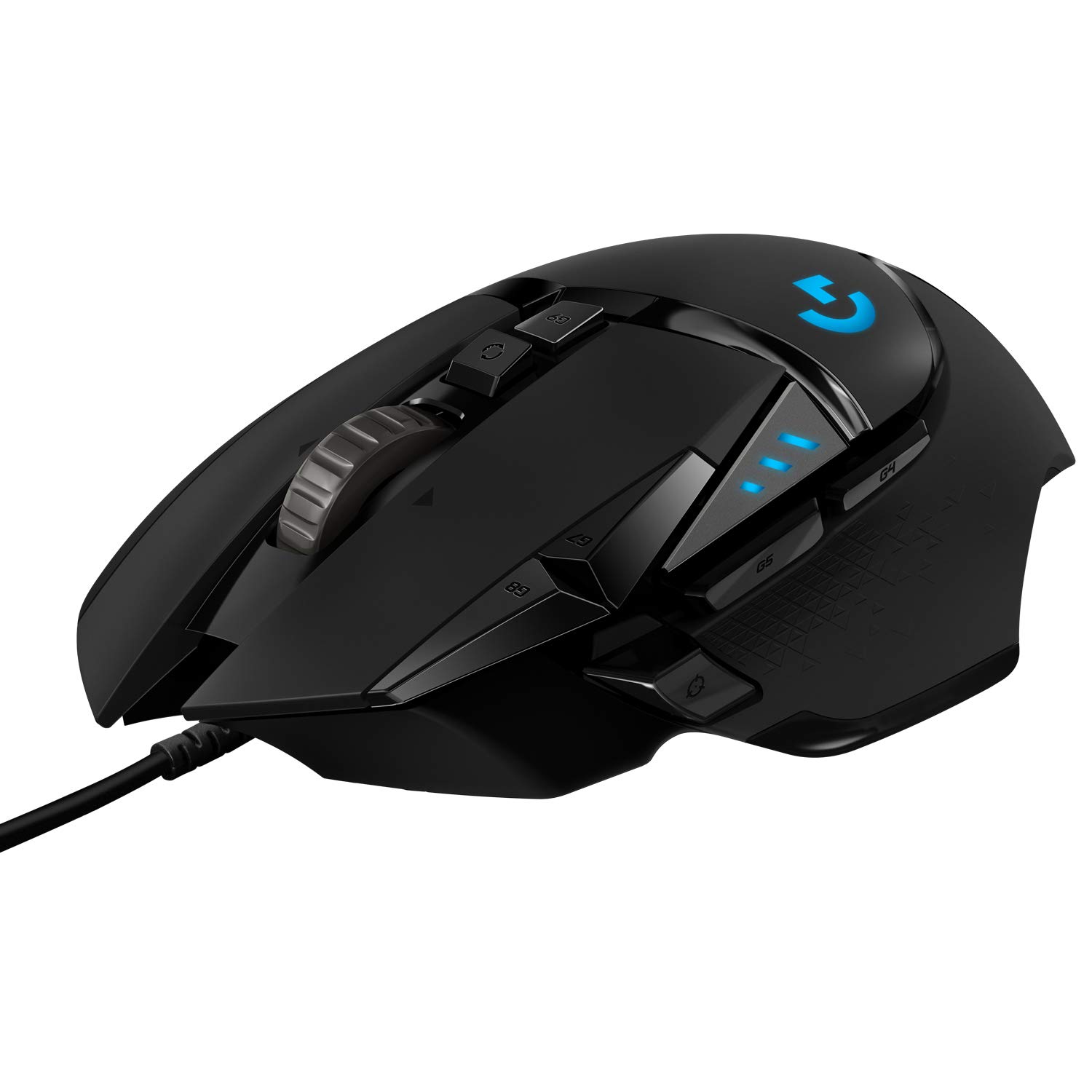
Consider the Logitech G502 HERO Wired Gaming Mouse, Black as an example of a design that leans toward versatility and button-rich layouts rather than featherweight competitive play. It's the kind of mouse that suits someone who switches between genres across the summer and wants one device to handle all of them. The lesson isn't that this particular shape is universally correct; it's that you should identify your dominant game types first, then find gear whose ergonomics and feature set align with those demands. Buying for a game you don't actually play is how you end up with gear that collects dust.
Wired vs. Wireless: Be Honest About Your Habits
Wireless gear has improved enormously, but the decision still comes down to your actual behavior, not marketing claims. If you play at the same desk every time, never move your setup, and value never thinking about battery status, a wired device removes a layer of friction. You don't charge it, you don't worry about signal interference, and you don't think about latency in any practical sense. For a static summer setup, wired gear is often the more pragmatic choice.
Wireless makes sense when portability or cleanliness is the priority. If you move between rooms, play on a laptop in different locations, or simply can't stand cable drag, wireless eliminates real annoyances. Just be honest about whether you'll keep up with charging. A wireless mouse that dies mid-session is more frustrating than a cable you've learned to manage. If you go wireless, build a charging habit into your routine, or pick a model with a dock or cable that makes topping up effortless.
Don't Overlook Mousepad and Surface
The mousepad is the surface your mouse reads against, and it's the factor most likely to undermine expensive gear. A premium mouse on a worn, glossy, or undersized pad will feel worse than a modest mouse on a clean, appropriately sized surface. Before buying a new mouse, look down at your current pad. If it's frayed at the edges, peeling at the corners, or too small to accommodate your full range of arm movement, replacing it may improve your experience more than any mouse upgrade.
Think about speed versus control. Hard pads offer less resistance and suit players who need fast flicks, while cloth pads provide more friction and steadier tracking for precise aiming. Desk pads that cover the full width of your setup look clean and give you room to reposition your mouse without running out of space. In summer, a fresh, smooth surface also means less debris and grit grinding against your mouse feet, which extends the life of both the pad and the mouse.
Audio: Open-Back vs. Closed-Back and Summer Comfort
Headset choice often comes down to isolation versus breathability, and summer makes that tradeoff sharper. Closed-back headsets block outside noise and keep sound from leaking into your surroundings, which is useful if you share walls or play late at night. But they trap heat against your ears, and after an hour or two in a warm room, the foam can feel like a sponge. Open-back headsets let air pass through the ear cups, which keeps your ears cooler and gives you a wider, more natural soundstage, but at the cost of isolation and privacy.
If your summer gaming happens in a shared house or a room with thin walls, closed-back may still be the right call despite the heat. If you play alone in a space where noise isn't an issue, open-back can make long sessions far more comfortable. Another option is a good pair of desktop speakers paired with a standalone mic, which eliminates ear contact entirely. That setup sacrifices privacy and positional audio precision, but for RPGs and strategy games, it can be the most comfortable way to play through a heatwave.
Keyboard Considerations: Switches and Posture
Keyboards are deeply personal, and summer adds a wrinkle: sweaty hands and heavy tactile switches don't always mix well. Linear switches tend to feel smoother when your fingers are damp, while tactile or clicky switches can feel sticky or inconsistent if moisture builds up. If you're upgrading a keyboard for summer, consider how the switch type interacts with your hand conditions, not just how it sounds in a review.
Posture matters too. A keyboard that's too high or too thick forces your wrists into extension, which compounds fatigue during long sessions. Look for a board with a low front lip or a wrist rest that keeps your hands neutral. If you type a lot between gaming sessions, a hybrid switch can bridge the gap. And if you're using a tenkeyless or compact board to free up mouse space, make sure you're not sacrificing keys you actually use for work or productivity. A clean desk is only worth it if the layout still fits your full routine.
Questions to Ask Before You Buy
Before adding anything to your cart, run through a short checklist. What games do I actually play most? Does my desk have room for this? Will this gear make my room hotter, louder, or more cluttered? Am I buying this because it solves a problem, or because a review made it sound impressive? Is the weight and shape compatible with my grip style? Do I need extra buttons, or will they just get in the way? Will I actually maintain this—charging, cleaning, adjusting—or will it become a burden?
Answering these honestly prevents the most common regret: buying gear that's technically excellent but wrong for your situation. A mouse that's too heavy, a headset that's too hot, or a keyboard that's too loud for your living situation will annoy you every time you use it. Take the time to verify current details, specifications, and availability with the retailer before purchasing, since product details can change and your needs may shift by the time you're ready to buy. The goal isn't to find the objectively best gear; it's to find the gear that fits your space, your games, and your summer.
Frequently asked questions
Is a lighter mouse always better for gaming?
Not necessarily. Lightweight mice suit fast-paced shooters where quick flicks matter, but heavier mice can offer more stability for precise tracking. Your grip style, hand size, and the games you play should drive the decision, not a spec sheet.
Do I need a mechanical keyboard for gaming?
Mechanical keyboards offer durability and switch variety, but they're not mandatory. A quality membrane keyboard can serve well for casual play. If you want tactile feedback and customization, mechanical is worth considering, but match the switch type to your hand conditions and noise tolerance.
Is the Logitech G502 HERO Wired Gaming Mouse, Black good for all game types?
The Logitech G502 HERO Wired Gaming Mouse, Black leans toward versatility with a button-rich layout that suits MMOs, RPGs, and productivity tasks. It can handle shooters, but its weight and design philosophy favor players who switch genres rather than competitive specialists who prioritize minimal mass.
Should I choose a headset or desktop speakers for summer gaming?
It depends on your space and privacy needs. Headsets offer better positional audio and isolation, but can trap heat. Desktop speakers keep your ears cool and are great for single-player games, but they sacrifice privacy and can disturb others. In a shared space, a closed-back headset is often the safer choice.
How important is the mousepad compared to the mouse itself?
Very important. A high-quality mouse on a worn or undersized pad will underperform. The surface affects tracking, speed, and comfort. Replacing a degraded mousepad can improve your experience more than upgrading the mouse, and a clean pad also protects your mouse feet from wear.