Start With Your Play Style, Not the Hardware
Before browsing peripherals, take an honest look at how you actually play. Competitive shooters reward precision and speed, so players who spend hours in tactical environments tend to prioritize lightweight mice with accurate tracking. Meanwhile, story-driven RPGs and open-world adventures place a premium on comfort during long sessions, making ergonomics and button accessibility more relevant than raw performance specs. Strategy and simulation players often lean toward multi-button layouts, while fighting game enthusiasts focus on responsive inputs and durable surfaces.
Your current skill level and goals also shape what matters. Someone climbing ranked ladders may notice the difference between tracking technologies, while a more casual player might find those distinctions invisible. Write down the games you play most often and note what frustrates you about your current setup. That frustration list is more useful than any spec sheet for narrowing your search.
Evaluating Mice: Weight, Shape, and Sensor Quality
A gaming mouse is the most personal peripheral you will buy, and weight is often the first decision point. Lighter mice allow faster flick movements with less wrist strain, which appeals to shooter players. Heavier designs offer stability and a planted feel that some strategy and RPG players prefer. Neither is objectively better; the right choice depends on your grip style and the types of movements you make most often.
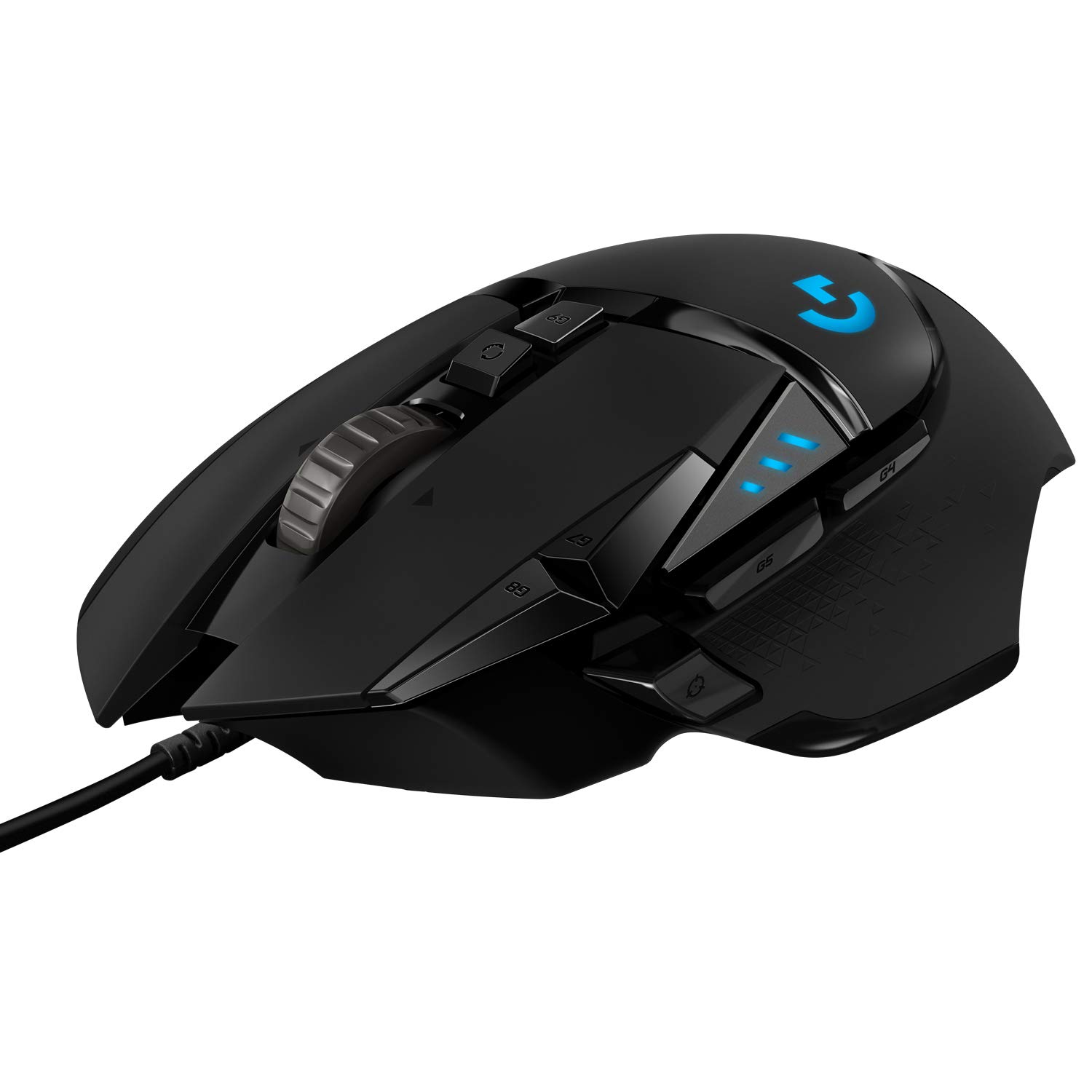
Grip style—palm, claw, or fingertip—should guide your choice of mouse shape. Palm grippers need full-hand support with a contoured hump, claw grippers benefit from a shorter body and textured sides, and fingertip players want a compact shape that allows the wrist to hover. The Logitech G502 HERO Wired Gaming Mouse, Black is an example of a sculpted, multi-button design that accommodates claw and palm grips while offering programmable side buttons for macro-heavy genres. Sensor quality matters, but most modern gaming mice from reputable brands use sensors accurate enough that the differences are imperceptible outside of competitive play. Focus on shape and weight first, then use sensor quality as a tiebreaker.
Cable type is another consideration. Wired mice eliminate charging concerns and input lag, while wireless options reduce desk clutter but require battery management. Some wireless models now match wired performance, but verify current specifications with the retailer before purchasing to confirm the technology fits your priorities.
Keyboards: Switches, Layout, and Build Quality
Mechanical keyboards dominate gaming discussions, and the switch type is the core decision. Linear switches offer smooth, uninterrupted keypresses that many fast-paced gamers prefer for rapid double-tapping. Tactile switches provide a noticeable bump at actuation, helping you feel when a key registers without bottoming out, which some players find reduces finger fatigue. Clicky switches deliver audible feedback but can disturb others nearby. Trying switches in person at a store is worth the effort because feel is subjective and hard to judge from descriptions alone.
Layout and size affect both desk space and functionality. Full-size keyboards include a number pad useful for productivity tasks, while tenkeyless designs free up mouse space for low-sensitivity players who need wide arm sweeps. Compact layouts go further, sometimes removing arrow keys or function rows. If you use your system for work or content creation alongside gaming, think about which keys you rely on daily before sacrificing them for desk real estate.
Build quality shows up in the details: stabilizers that prevent key wobble, a plate material that reduces flex during intense moments, and keycaps that resist shine over time. These factors separate a keyboard that feels solid after months of use from one that develops rattles and squeaks.
Headsets and Audio: Comfort Outlasts Sound Quality
Gaming headsets combine audio output, microphone input, and sometimes spatial audio processing. While sound quality gets the most attention, comfort is the factor that determines whether you will actually want to wear the headset during a three-hour session. Ear cup material, clamping force, and headband padding all contribute. Memory foam and breathable fabric suit warm environments, while leatherette pads provide better passive noise isolation but can trap heat. Weight distribution matters too—a headset that feels fine for ten minutes may create pressure points after an hour.
Spatial audio helps you locate footsteps and directional cues in competitive games, but its effectiveness varies by title and implementation. Some headsets rely on virtual surround processing, while others use driver design to create a wider soundstage. Microphone clarity is critical if you communicate with teammates; look for noise-canceling mics or detachable boom arms depending on whether you use the headset for solo play, group sessions, or streaming. Consider whether you need platform compatibility across console and PC, and confirm connectivity options with the retailer before committing.
Mousepads and Desk Space: The Overlooked Foundation
Your mousepad directly affects how your mouse performs. Hard surfaces offer low friction for fast glides and quick stops, suiting players who make rapid, sweeping movements. Cloth pads provide more control and slower tracking, which benefits precision aiming and players who prefer deliberate micro-adjustments. Hybrid surfaces attempt to balance both. The wrong pad can make an excellent mouse feel sluggish or uncontrollable, so consider your pad as part of your aiming system rather than an afterthought.
Size is equally important. Low-sensitivity players who move their entire arm need large pads that extend beyond the keyboard, while high-sensitivity players can manage with smaller surfaces. If your mouse frequently runs off the edge during gameplay, your pad is too small for your sensitivity and hand movement style.
Common Mistakes and How to Avoid Them
The most frequent mistake is buying based on endorsements or aesthetics rather than fit. A mouse shaped for someone else's hand will not magically improve your aim, and an aggressive keyboard switch that feels snappy in a video may cause finger fatigue during your own sessions. Another common error is overestimating how much performance you need. Most players do not benefit from elite-tier sensors or ultra-low-latency wireless protocols; the gains are real but incremental, and only noticeable after you have developed the mechanics to take advantage of them.
Neglecting ergonomics is a mistake that compounds over time. Wrist rests, proper chair height, and monitor positioning all interact with your peripherals. A great mouse paired with a desk that is too high creates strain regardless of how well the mouse fits your hand. Finally, avoid assuming that more expensive always means better for you. A mid-range product that matches your grip, desk setup, and game library will serve you better than a flagship model designed for a different use case. Always verify current specifications and compatibility with the retailer before purchasing to ensure the product meets your needs.
Questions to Ask Before You Buy
Run through a short checklist before adding anything to your cart. What games do I play most, and what do those games demand from my peripherals? What grip style do I use, and does my current mouse cause discomfort during long sessions? How much desk space do I have, and will a full-size keyboard or large mousepad crowd my setup? Do I need cross-platform compatibility, or is my system fixed? Am I buying to solve a specific problem, or am I chasing an upgrade for its own sake?
Answering these questions honestly prevents overspending on features you will not use and helps you focus on the qualities that will actually improve your experience. Research current models, read user feedback from players with similar setups, and confirm details with the retailer so you know exactly what you are getting before it arrives.
Frequently asked questions
How do I know which mouse weight is right for me?
If you make large, fast arm movements and play fast-paced shooters, a lighter mouse reduces fatigue and allows quicker reactions. If you prefer stability and mostly use your wrist, a heavier mouse can help you stay controlled. There is no universally correct weight; try different options if possible and pay attention to how your wrist and forearm feel after an extended session.
Is a wireless gaming mouse worth it over a wired one?
Wireless mice reduce cable drag and declutter your desk, and modern wireless technology has largely closed the performance gap with wired models. However, wireless requires charging or battery management, and some players prefer the simplicity of a wired connection. If cable drag bothers you and you do not mind charging routines, wireless is a strong choice.
What keyboard switch type is best for gaming?
Linear switches are popular for fast-paced gaming because they allow rapid keypresses without tactile resistance. Tactile switches help you feel actuation and can reduce accidental presses, which some players prefer for strategy or RPG titles. Clicky switches offer audible feedback but are noisy. Trying switches in person is the most reliable way to choose.
Do I need a gaming headset, or will regular headphones work?
Regular headphones can deliver excellent sound quality, but gaming headsets include a built-in microphone and often feature spatial audio tuned for positional cues in games. If you play multiplayer titles and need to communicate, a headset is more convenient. For solo play where microphone quality matters less, high-quality headphones paired with a separate mic can be a strong alternative.
How important is the mousepad compared to the mouse itself?
Your mousepad is a critical part of your aiming system. A pad with the wrong friction level can make a precise mouse feel sluggish or uncontrollable. Match your pad to your play style: low-friction hard pads for speed and sweeping movements, cloth pads for control and deliberate tracking. Size also matters—your pad should accommodate your full range of motion without running off the edge.