Featured product
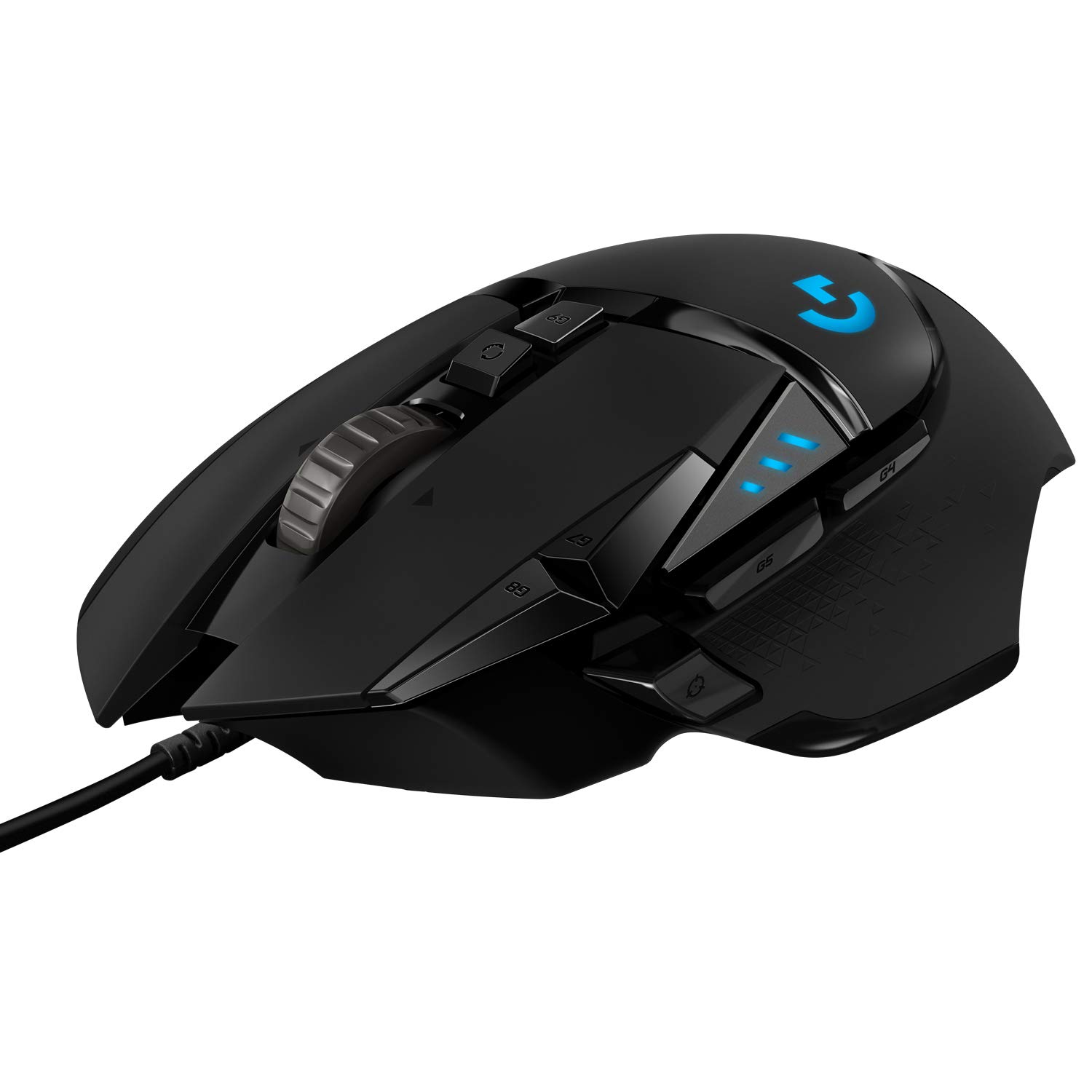
Logitech G502 Gaming Mouse
by Logitech
See current price & options at AmazonThis link opens live Amazon search results for this product, so the price and availability you see are always current. We do not list prices here.
Why it has stayed popular
The Logitech G502 Gaming Mouse has remained a staple in the gaming community for years due to its unparalleled customization options and sturdy build quality. It offers a high degree of adjustable weights and programmable buttons, making it a versatile choice for nearly any gaming genre.
Who It Fits
The Logitech G502 Gaming Mouse is an ideal match for players who prioritize customization and tactile feedback in their daily sessions. If you frequently play competitive shooters or complex multiplayer titles, the configurable weight system and abundant programmable buttons allow you to tailor the device to your exact grip and action requirements. It particularly suits palm-grip users with medium to large hands, offering substantial ergonomic support that reduces fatigue during extended play. Additionally, strategy and MMO players will appreciate the extra thumb buttons for mapping macros, healing items, or inventory screens. Beyond pure gaming, this peripheral seamlessly transitions into productivity, giving streamers or video editors a customizable tool for timeline scrubbing or muting audio. Its robust build quality ensures it withstands intense clicking, making it a reliable workhorse for anyone who wants a highly adjustable, feature-rich mouse without venturing into ultra-lightweight minimalist territory. If you prefer a heavily textured, solid feel over a feather-light chassis, this design philosophy caters directly to your preferences.
What To Weigh Before Buying
Before adding the Logitech G502 Gaming Mouse to your setup, consider its physical footprint and weight distribution. Unlike modern ultra-light mice designed for effortless flicking, this device leans toward a heavier, grounded feel. Even with all removable weights taken out, the chassis carries more mass than typical esports pointers, which might hinder players who rely on ultra-low sensitivity and large arm movements. Additionally, the shape features a prominent thumb rest and a heavily contoured body that locks your hand into a specific posture. If you use a claw or fingertip grip, you might find the prominent curves restrictive or uncomfortable during rapid movements. The braided cable, while durable, can create friction on soft mousepads if you do not employ a bungee. Finally, the software ecosystem requires configuration to unlock its full potential, meaning you will need to spend time setting up profiles for different games or software applications to truly benefit from its extensive feature set.
Alternatives To Consider
If the robust profile of the Logitech G502 Gaming Mouse feels too bulky, several alternatives cater to different needs. For players seeking a dramatically lighter, ambidextrous design, the Razer Viper Mini offers a compact form factor that excels in fast-paced shooters without overwhelming your hand. Those who prefer a wireless experience with a similarly ergonomic right-handed slant might look into the Logitech G703, which provides a lighter chassis and cordless freedom while retaining plenty of programmable buttons. Alternatively, if you want an incredibly lightweight option from the same brand, the Logitech G Pro X Superlight removes the elaborate curves and extra buttons for a pure, minimal esports experience suited for low-sensitivity aiming. For a balanced approach that blends productivity and casual gaming, the Logitech MX Master series features horizontal scroll wheels and ergonomic rests better suited for heavy office work rather than competitive twitch reflexes. Evaluating your priorities between weight, grip style, and wireless functionality will guide you to the right choice.
Frequently asked questions
Is the Logitech G502 Gaming Mouse suitable for small hands?
The mouse features a relatively long and wide body designed primarily for palm grips with medium to large hands. Users with smaller hands may struggle to reach the front buttons or thumb cluster comfortably. If you have small hands, you might prefer trying a claw grip or seeking a more compact alternative to avoid wrist strain during extended gaming sessions.
Does this mouse work well for non-gaming tasks?
Absolutely. The highly programmable buttons and smooth tracking make it an excellent tool for productivity. You can map the side buttons to copy, paste, or undo functions in creative software. The adjustable scroll wheel allows for rapid scrolling through long documents or code, making it a versatile peripheral for both intense gaming sessions and demanding professional workflows alike.
Can I use this mouse without installing the proprietary software?
While the mouse functions as a standard pointing device right out of the box, you will not have access to customizable button mappings, sensitivity profiles, or lighting adjustments without the official software. To truly leverage the device's capabilities and save configurations directly to the onboard memory, utilizing the software is highly recommended for a tailored experience.