Featured product
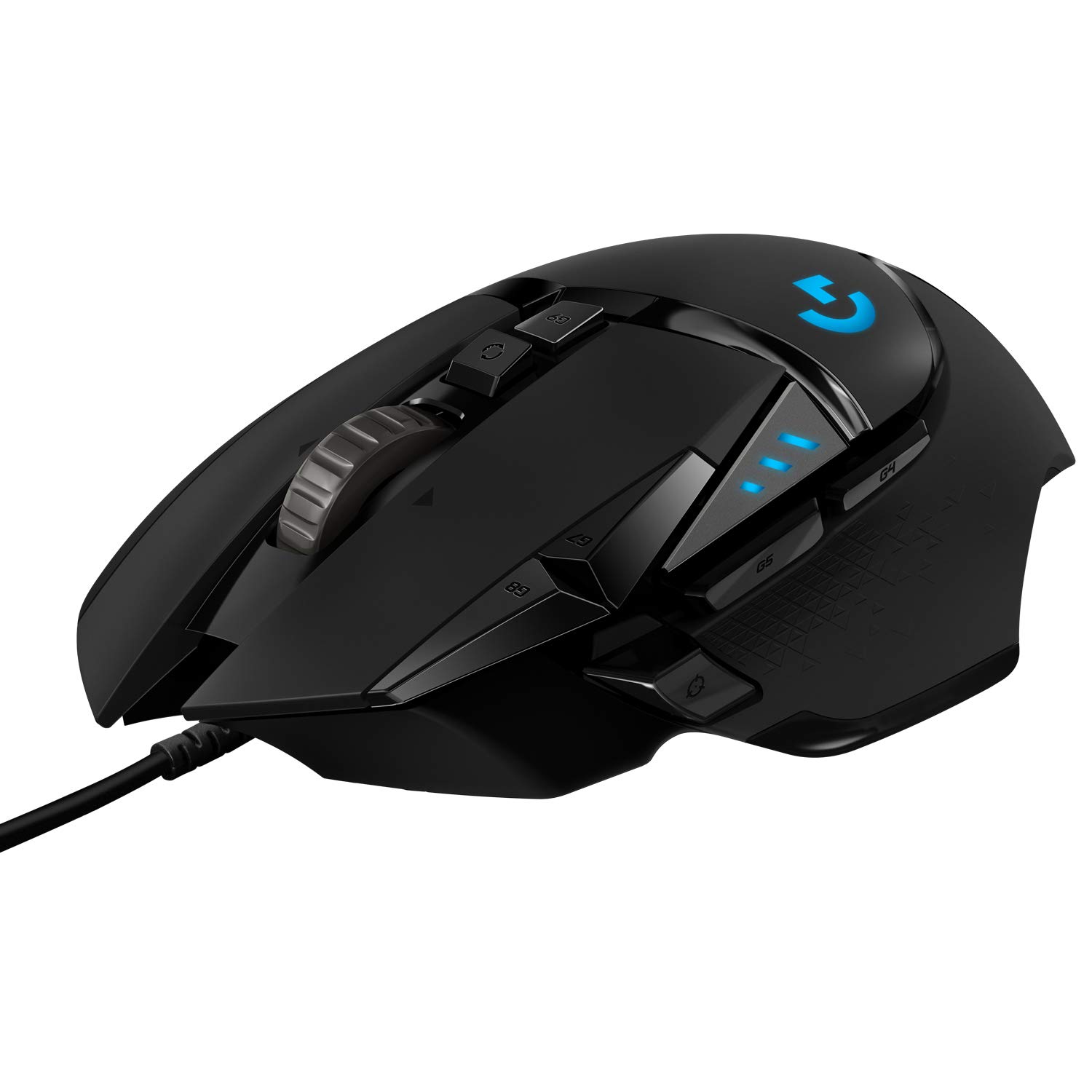
Logitech G502 Hero Gaming Mouse
by Logitech
See current price & options at AmazonThis link opens live Amazon search results for this product, so the price and availability you see are always current. We do not list prices here.
Why it has stayed popular
The Logitech G502 has earned a loyal following for its highly customizable design, robust build quality, and precise sensor. It accommodates a wide range of grip styles and hand sizes, making it a versatile choice. Its enduring appeal lies in offering a premium gaming experience with extensive features like adjustable weights and programmable buttons.
Who It Fits
The Logitech G502 Hero is ideal for gamers who want deep customization and a feature-rich experience. Its ergonomic, right-handed shape suits palm and claw grip players, though fingertip grippers with larger hands can also find it comfortable. The mouse includes a generous selection of programmable buttons, making it well-suited for players of complex genres like massively multiplayer online role-playing games, real-time strategy, or productivity users who rely on macros. Because it is a heavier mouse with an adjustable weight system, it appeals to those who prefer a solid, substantial feel during fast-paced gameplay rather than ultralight designs favored by some competitive first-person shooter players. If you value having many options at your fingertips and want a mouse that can be tailored to your specific preferences, the G502 is a strong fit. It is also great for users who appreciate a highly precise sensor and adjustable dots-per-inch settings to fine-tune sensitivity for different games or tasks.
What to Weigh Before Buying
Before purchasing, consider the weight and shape carefully. The G502 is notably heavier than many modern gaming mice, even without the optional weights installed. While the adjustable weight system allows you to customize the heft, it remains a relatively dense device. This can lead to fatigue during extended sessions, particularly for players with smaller hands or those accustomed to lighter mice. The aggressive, angular design, while visually striking, may not suit everyone's grip style. The thumb rest and button placement work well for most, but those with shorter thumbs might find the sniper button awkward to reach. Additionally, the braided cable, while durable, can create drag on certain desk surfaces, potentially requiring a mouse bungee for optimal smoothness. Software dependency is another factor; unlocking the full potential of the programmable buttons and lighting requires Logitech's software suite. Finally, the sheer number of buttons might be overwhelming if you prefer a simpler, more streamlined setup.
Alternatives to Consider
If the G502 feels too heavy or button-heavy, several alternatives are worth exploring. For a lighter, more streamlined experience tailored to fast-paced competitive shooters, mice like the Logitech G Pro X Superlight offer an ultralight chassis ideal for rapid flicks and tracking. If you prefer a similarly feature-rich mouse but with an ambidextrous design, the Razer Naga or DeathAdder lines provide strong sensor performance and customizable options. Those seeking a more budget-friendly option without sacrificing core performance might look at the Razer Basilisk, which offers a similar ergonomic shape and a handy sniper button. If wireless freedom is a priority, the Logitech G502 X Wireless or the Razer DeathAdder V3 Pro are compelling alternatives. Ultimately, the best choice depends on your grip style, preferred game genres, and whether you prioritize weight, button count, or cable management. Testing different shapes in person, if possible, is always the best way to ensure long-term comfort.
Frequently asked questions
Is the G502 good for large hands?
Yes, the G502 is generally well-suited for medium to large hands, particularly for palm and claw grips. Its elongated body and finger rests provide ample support. However, users with smaller hands might find it difficult to reach all buttons comfortably, so checking dimensions against your hand size is recommended before buying.
Does the G502 work for non-gaming tasks?
Absolutely. The programmable buttons are excellent for productivity macros, such as media controls, copy-paste actions, or launching applications. The adjustable dots-per-inch settings allow for seamless transitions between precise photo editing and fast desktop navigation, making it a versatile tool for both work and play.
Is the G502 wireless?
The original G502 Hero is a wired mouse. However, Logitech has since released a wireless version called the G502 X Wireless, which uses a similar shape and feature set but offers cable-free operation. If wireless freedom is essential, the X variant is the one to look for.