Start With How You Actually Play
Before looking at any gaming mouse, the most important step is an honest assessment of your gaming habits. Players who spend most of their time in competitive shooters have very different needs from those who play massively multiplayer online games, real-time strategy titles, or productivity software. A mouse designed for rapid flick aiming prioritizes a lightweight shell and a minimalist button layout, while a mouse built for complex keybinds leans into extra programmable inputs and a heavier, more anchored feel. Misjudging your own play style is the most common reason gamers end up with gear that feels wrong in hand.
Think about the games you return to most often, not the ones you occasionally dabble in. If you primarily play fast-paced arena shooters, a mouse packed with extra thumb buttons may actually hinder your grip rather than help it. Conversely, if you run complex rotations in an online role-playing game, having several programmable buttons within thumb reach can transform your experience by moving critical actions off your keyboard. Write down the three games you play most each week and look for patterns in their control demands before evaluating any hardware.
Understanding Weight and Grip Dynamics
Mouse weight is one of the most fiercely debated topics in gaming gear, and there is no universally correct answer. Heavier mice provide stability for players who prefer low-sensitivity settings and large arm movements, helping the cursor stay controlled during long sweeps. Lighter mice suit high-sensitivity players who make small, precise wrist movements and want minimal resistance when repositioning. The key is matching weight to your aiming style, not chasing a trend.
Grip style matters just as much as weight. Palm grippers, who rest their entire hand on the mouse, generally prefer larger, fuller shapes that fill the hand and prevent fatigue during long sessions. Claw grippers, who arch their fingers and anchor with the back of the palm, benefit from shorter, more contoured shapes with defined side grips. Fingertip grippers, who control the mouse primarily with their fingertips and barely touch the palm, need a mouse that is light enough to maneuver with small movements and narrow enough to avoid pinching. A mouse that suits one grip style beautifully can feel awkward and unwieldy for another, so understanding your own hand posture is essential before committing.
Evaluating Programmable Buttons: Asset or Liability
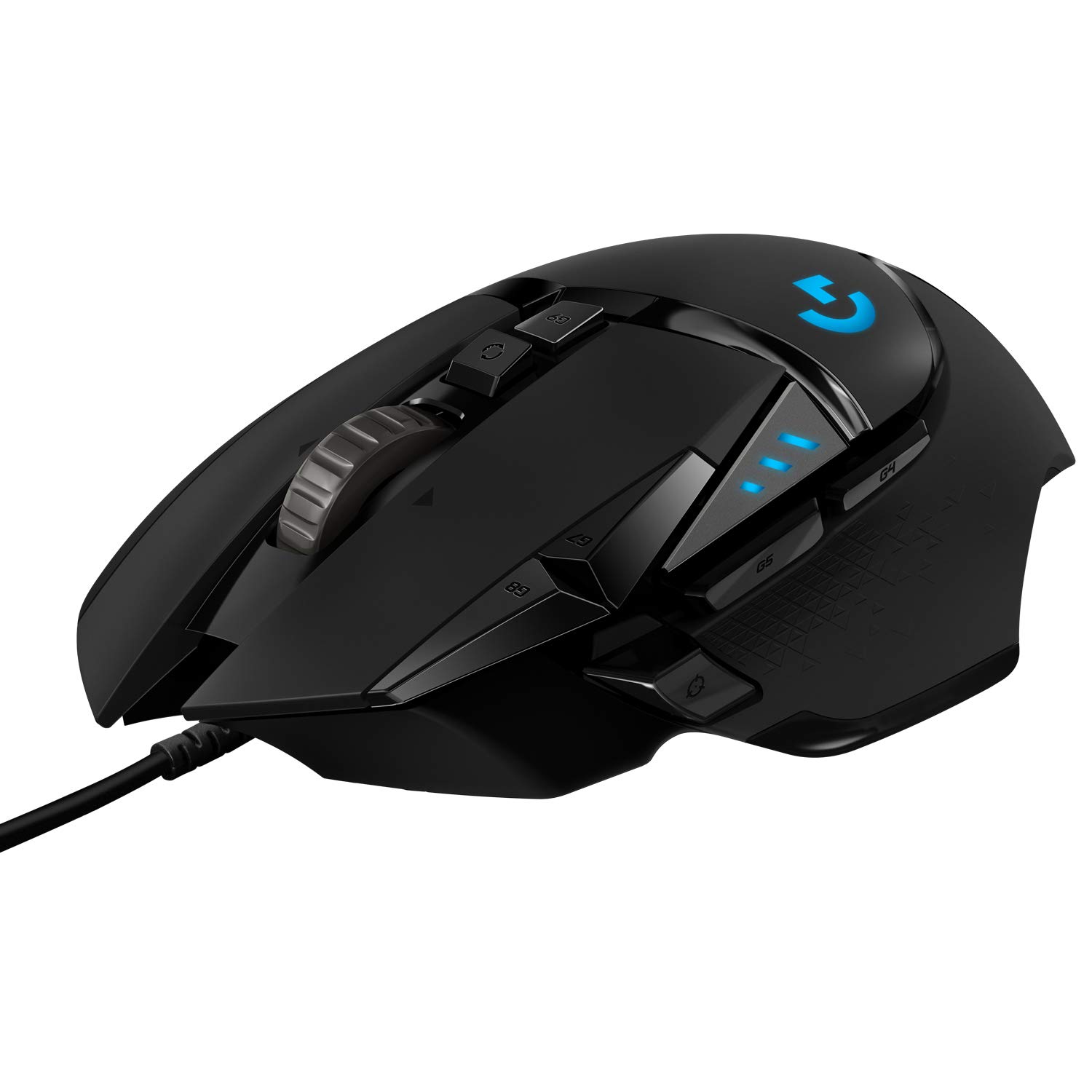
Extra programmable buttons are the defining feature of mice like the Logitech G502 HERO Wired Gaming Mouse, Black, and they can be either a genuine enhancement or an unnecessary complication. For players who bind macros, weapon swaps, or communication pings to their mouse, having multiple thumb buttons reduces hand movement and can improve reaction consistency. This is particularly valuable in games where you need to execute commands while simultaneously moving and aiming, since your keyboard hand is often occupied.
However, extra buttons become a liability when they are poorly placed or when you activate them accidentally during intense moments. A mouse with too many buttons clustered in a small thumb area can lead to mis-presses, especially for players with smaller hands or those who use a claw grip that shifts pressure toward the side of the mouse. When evaluating a multi-button mouse, consider whether the buttons are distinctly separated by shape and texture, whether they require deliberate pressure to actuate, and whether your thumb naturally rests without contacting them. Extra inputs are only valuable if you can reliably use them without thinking.
Wired vs. Wireless: Matching Connection to Priorities
The choice between wired and wireless connectivity has evolved significantly, but the decision still depends on your priorities. Wired mice, such as the Logitech G502 HERO Wired Gaming Mouse, Black, eliminate concerns about battery life and pairing, providing an uncomplicated plug-and-play experience. They are ideal for players who want a single setup that never requires charging and who do not mind cable management. A quality mouse bungee or a well-routed cable can make a wired mouse feel nearly as free as a wireless one.
Wireless mice appeal to players who value a clean desk aesthetic, want to use the same mouse across multiple devices, or find cable drag genuinely distracting. Modern wireless technology has reduced latency to a point where most players will not notice a difference, but wireless mice do introduce battery management as an ongoing responsibility. If you are someone who forgets to charge devices or dislikes the idea of another cable on your desk for a charging dock, a wired mouse removes that friction entirely. Consider whether the freedom of wireless outweighs the convenience of never charging.
Sensor Quality and Why It Matters Less Than You Think
Gaming mouse marketing leans heavily on sensor specifications, but the reality is that any modern optical sensor from a reputable manufacturer is more than sufficient for the vast majority of players. The sensor in a well-built gaming mouse tracks accurately at speeds and sensitivities that exceed what human hands can produce. Spending significant time comparing sensor specifications between mid-range and high-end mice is rarely a productive use of a shopper's energy.
What matters more is sensor placement, lift-off distance, and surface compatibility. Sensor placement affects how the cursor moves relative to your hand, and a mouse with a sensor positioned too far forward or back can feel disconnected from your aim. Lift-off distance, the height at which the sensor stops tracking when you lift the mouse, matters for low-sensitivity players who frequently reposition. Surface compatibility determines whether the mouse tracks well on your preferred mousepad or desk surface. These practical factors influence your daily experience far more than incremental sensor improvements, so focus your attention there.
Common Mistakes When Choosing a Gaming Mouse
The most frequent mistake shoppers make is buying a mouse based on endorsements or popularity without considering hand size and grip compatibility. A mouse that feels perfect for a reviewer with large hands and a palm grip may feel cramped or awkward for someone with smaller hands who uses a fingertip grip. Always check the physical dimensions of a mouse against your hand size, and look for reviews from users with similar hand measurements and grip styles.
Another common error is overvaluing customization software. While the ability to rebind buttons and adjust lighting is useful, software should not be the primary factor in your decision. Software can be updated, but the physical shape, weight, and button layout of a mouse cannot be changed. Prioritize the hardware experience first and treat software as a secondary consideration. Finally, avoid assuming that a higher price guarantees a better fit; a mid-range mouse that matches your grip and play style will serve you better than a premium mouse that does not.
Questions to Ask Before You Buy
Before finalizing any gaming mouse purchase, ask yourself a short series of practical questions. What are the three games I play most, and what control demands do they share? Do I prefer a mouse that fills my hand or one that allows fingertip control? How important is having extra programmable buttons, and can I realistically see myself using them without accidental presses? Do I want the simplicity of a wired connection, or do I value the freedom of wireless enough to manage battery life?
Additionally, consider your desk setup. Do you have a mouse bungee or adequate cable management for a wired mouse? Is your mousepad surface compatible with the sensor type you are considering? Will the mouse shape work alongside your keyboard height and armrest position? Answering these questions honestly will narrow your options far more effectively than comparing specification sheets. Once you have a shortlist, verify current details and availability with the retailer before purchasing, as product configurations and stock can change over time.
Frequently asked questions
How do I know if a gaming mouse will fit my hand size?
Measure your hand from the base of your palm to the tip of your middle finger, then compare it to the mouse length. As a general guideline, a mouse should be roughly three-quarters the length of your hand. Look for reviews from users with similar hand measurements and grip styles, as shape matters as much as dimensions.
Are extra mouse buttons useful outside of gaming?
Yes, programmable buttons can improve productivity in software like video editors, spreadsheets, and web browsers. Many users bind common actions like copy, paste, undo, or browser tab navigation to thumb buttons. If you split time between gaming and productivity work, a multi-button mouse can serve double duty effectively.
Is a wired gaming mouse a disadvantage compared to wireless?
Not necessarily. Wired mice eliminate battery management and provide consistent connectivity without pairing. With proper cable management using a bungee or desk routing, cable drag is minimal. Wireless offers freedom of movement and a cleaner desk, but both connection types are equally viable for competitive play.
How important is mouse weight for casual gamers?
Weight matters most for competitive players who make fast, precise aiming movements. Casual gamers who play at a relaxed pace are less likely to notice subtle weight differences. Comfort and shape are more important than weight for most players, so prioritize how the mouse feels during extended use.
Should I replace my current mouse if it still works fine?
Only if your current mouse causes discomfort, lacks features you genuinely need, or interferes with your gameplay. A functional mouse that fits your hand and play style does not need replacing. Upgrading for incremental improvements rarely delivers a noticeable difference for most players.